Quick answer
On a small budget, run Facebook and Instagram ads as a test, not a gamble: choose one proven product, set a daily limit you can afford to lose, use two or three phone-made creatives, track purchases with the Meta Pixel and Conversions API, and judge results on cost per order against your margin after a week or two.
You can run Facebook and Instagram ads on a small budget if you treat the first month as a test rather than a launch: advertise one product that already sells, set a daily amount you can afford to lose, make two or three simple creatives on your phone, track purchases properly with the Meta Pixel, and judge the results on cost per order against your margin. Ads do not create demand for a product nobody wants; they help more people find a product that already works.
There are no guaranteed returns with advertising. This guide helps you spend carefully, learn quickly and stop before small losses become big ones.
Are you ready to run ads?
Before spending a rupee, check these basics. Ads magnify whatever is already there, good or bad.
- You have at least one product that sells regularly without ads, from Instagram, WhatsApp or word of mouth.
- Your product page has clear photos, price, sizes, delivery time and returns policy.
- Checkout works smoothly on a phone, with UPI and, if you offer it, cash on delivery.
- You know your margin per order after product cost, packaging, delivery, gateway fees and the occasional return.
- The Meta Pixel is installed and recording purchases.
If the last two are not done, do them first. The profit margin calculator helps with the margin; our profit per order guide explains every cost.
How do you set up tracking with the Meta Pixel?
The Pixel is a small piece of code from Meta that records what ad visitors do on your store: view a product, add to cart, start checkout, buy. Without it, Meta cannot tell which ads lead to sales, and neither can you.
Browsers and privacy settings increasingly block tracking in the browser, so Meta also offers the Conversions API, which sends purchase events from your store's server. UpMinutes supports both: add your Pixel ID in the dashboard, and purchases are sent from the browser and from the server. UpMinutes also has its own cookie-free analytics showing visitors, sources and the shopping funnel, and Google Analytics 4 if you use it.
Set up a product catalogue as well. UpMinutes provides a catalogue feed that updates itself, which you can use for Instagram and Facebook Shops and product ads.
What should your first ad campaign look like?
Keep the structure simple. A sensible first test:
| Setting | Starter choice |
|---|---|
| Objective | Sales, optimised for purchases (once the Pixel is recording them) |
| Product | One bestseller, or one small collection |
| Budget | A modest daily amount you are comfortable losing for one to two weeks |
| Location | Cities or states you deliver to quickly and reliably |
| Audience | Broad, with age and location set; let Meta find buyers |
| Creatives | Two or three: a short video, a photo, and a carousel |
| Duration | At least a week before judging |
Avoid splitting a small budget across many ad sets and audiences. Each one gets too little data to learn anything.
How much should you spend?
There is no correct number. Decide the total you are willing to spend on learning, say the price of a few days' sales, and divide it across one or two weeks. Never spend money you need for stock or rent. Set a spending limit in Ads Manager as a safety net.
Should you use "Boost post" instead?
Boosting a Reel or post that is already doing well is an easy starting point and can bring followers and visits. For sales, Ads Manager with a purchase objective gives more control. Many sellers start with a boost to learn, then move to Ads Manager.
What creatives work for small brands?
You do not need a studio. The best-performing ads for small sellers often look like normal posts:
- A 10 to 20 second video of the product in use, with the product shown in the first second.
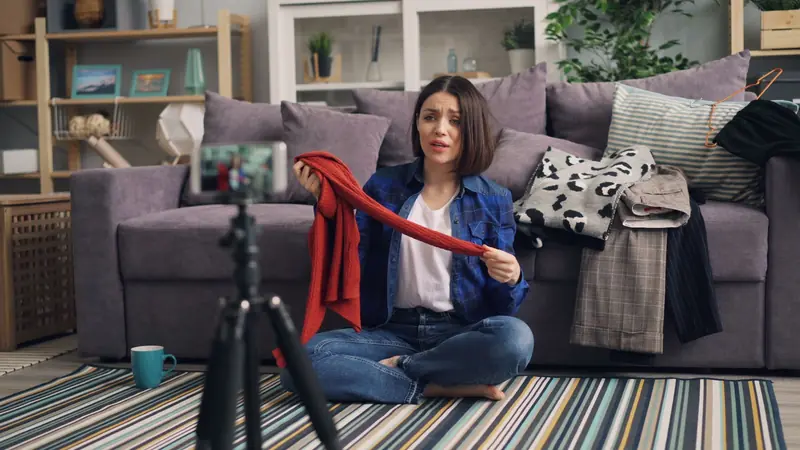
- A try-on, a packing video, or hands making the product.
- A clear photo on a plain background, with price and one benefit as text.
- A carousel of colours or styles of the same product.
- A customer review shown as text, with their permission.
Write short copy: what it is, who it is for, the price, delivery time and COD if offered. Avoid claims you cannot support, and follow Meta's advertising policies, especially for health, beauty and finance-related products. Our Reels guide has creative ideas you can reuse as ads.
How do you read the results?
After a week, look at a few numbers, not all of them:
- Cost per purchase: total spend divided by orders. Compare it with your margin per order. If it costs more to win an order than the order earns, the ad loses money, unless those customers reliably come back.
- Click-through rate: if very few people click, the creative or audience is wrong.
- Add-to-cart but no purchase: the ad works but something on the page or checkout puts people off; see why shoppers abandon carts.
- Return or refusal rate on ad-driven COD orders, which can be higher than from your regular followers.
Say your margin on a ₹1,200 kurta is ₹350 after all costs. If the ads cost ₹500 per order, you lose ₹150 on each first sale. That may still be worth it if a good share of those buyers order again, but you need to know that, not hope it.
When should you stop or scale?
- Stop an ad that has spent a fair amount with no purchases, or whose cost per order is far above your margin after a week or two.
- Change one thing (creative, product or location) and test again rather than changing everything.
- Scale slowly when cost per order is comfortably below your margin: raise the budget gradually, not all at once.
- Pause in your busy weeks if you cannot dispatch quickly; ads that bring orders you cannot fulfil damage your reputation.
Can you retarget visitors who did not buy?
Yes. With the Pixel recording visits, you can show ads to people who viewed products or added to cart in the last few days. These audiences are small for a new store but often convert better than strangers. Keep the frequency low so people are not followed around by the same ad, and pair it with an abandoned cart email.
What should you avoid?
- Advertising before your store, checkout and delivery are reliable.
- Running ads to your home page instead of a product page.
- Judging after one day.
- Copying a big brand's budget or targeting.
- Paying "agencies" that promise a fixed return on ad spend.
Ads work best alongside free channels: Reels, WhatsApp, Google free listings and repeat buyers. Our guide to your first 100 customers shows how they fit together, and the marketing and growth category has more.
Frequently asked questions
What is the minimum budget for Facebook ads in India?
Meta sets a low minimum daily budget that varies by currency and settings, so you can start small. A more useful question is how much you can afford to spend on learning before you see results.
Do I need a website to run Instagram ads?
You can run ads that send people to DMs or WhatsApp, but a website with a proper checkout lets you track purchases with the Pixel and see which ads actually sell.
Why are my ads getting clicks but no sales?
Usually the product page or checkout is the problem: unclear price, delivery charges, sizes or payment options. Test the journey yourself on a phone, from ad to order.
Is the Meta Pixel allowed under privacy rules?
It is widely used, but you should tell visitors in your privacy policy that you use it and why. If you sell to people abroad, check the consent rules in those countries too.