Quick answer
You can take good jewellery photos at home with a phone: use soft window light diffused through a white cloth, a plain grey or white background, white card reflectors to control glare on gold and stones, a steady phone with a timer, and close-ups with the phone's macro or 2x lens. Add on-hand or worn photos so size is honest.
You can take jewellery photos that sell with just a phone and a few things from home. The essentials are soft, diffused light (a window with a thin white cloth over it), a plain background, white card to control reflections on gold, silver and stones, a steady phone on a support with the timer on, and close-ups taken with the phone's 2x or macro mode instead of moving too close. Then add one photo of the piece being worn, so customers can judge its true size.
Jewellery is one of the hardest things to photograph because it is small, shiny and full of detail. This guide covers the setup, the shots you need, and how to deal with glare and colour.
What equipment do you need?
| Item | Why | Home alternative |
|---|---|---|
| Phone with a good camera | Most recent phones are enough | Clean the lens first |
| Diffuser | Softens harsh light and glare | White cotton cloth or baking paper over a window |
| Reflectors | Bounce light into shadows, control reflections | White chart paper or thermocol sheets |
| Black card | Adds dark edges to silver and stones so they stand out | Black chart paper |
| Phone support | Keeps close-ups sharp | A small tripod, or a stack of books |
| Background | Plain and consistent | Grey or white card, a slate tile, a plain fabric |
| Props to hold pieces | Stands earrings and rings upright | Blu-tack, a ring cone, a folded card |
Our general guide to product photos with a phone covers the basics of light and framing. This post focuses on what is special about jewellery.
How do you set up light for jewellery?
Place a table beside a large window that does not get direct sun. Hang a thin white cloth over the window to soften the light. Put the jewellery on your background about an arm's length from the window. Then:
- Place a white card on the opposite side to fill shadows.
- Turn off room lights, so you do not mix warm bulbs with cool daylight.
- Shoot at the same time of day for every batch, so your catalogue looks consistent.
Avoid the phone's flash. It creates hard reflections and flattens stones.
How do you stop glare and reflections on gold and stones?
Shiny metal acts like a mirror: it shows whatever is around it, including you and your phone. The trick is to control what it reflects:
- Surround the piece with white (cards or a simple light tent made from a cardboard box with the sides cut out and covered in white paper). Gold then reflects clean white and looks bright.
- Add a strip of black card just out of frame to give silver and diamonds defined edges. Too much white makes them look flat and grey.
- Change the angle slightly. Moving the phone a few degrees often removes a hotspot.
- Wear dark clothes if your reflection appears in a polished surface, or shoot from further back with 2x zoom.
- Clean every piece with a soft cloth and handle it with cotton gloves. Fingerprints show clearly in close-ups.
How do you get sharp close-ups with a phone?
- Use the phone's 2x lens or macro mode instead of moving very close; it gives a more natural shape.
- Rest the phone on a support and use the 2-second timer, so pressing the button does not shake it.
- Tap to focus on the most important detail: the stone, the filigree, the clasp.
- Lower the exposure slightly (slide down after tapping) to keep metal from turning white.
- Take several shots and keep the sharpest.
Which shots does every jewellery product need?
- Main photo: the full piece on a plain background, filling most of the frame. Keep the same background and angle across your catalogue.
- Detail close-up: the stone setting, the meenakari work, the texture of oxidised silver.
- Side or back view: the depth of a ring, the back of a pendant, the screw or hook of an earring.
- Worn or on hand: a ring on a finger, jhumkas on an ear, a necklace on the neck. This shows true size better than any measurement.
- Scale photo: next to a coin or on a ruler, for people who want certainty.
- Packaging: if you sell gifts, show the box.
Write sizes in the description too: earring drop length, pendant width, chain length, ring size. UpMinutes includes size guide starters for rings, so customers can check their size before ordering; see size guides that reduce returns.
How do you keep colours honest?
Gold that looks yellow-orange on screen, or silver that looks blue, causes returns. To keep colour true:
- Shoot in daylight only, with room lights off.
- If your phone allows, lock the white balance for the session.
- Compare the photo on your phone with the piece in your hand, and adjust warmth slightly if needed.
- Do not use heavy filters or beauty modes.
- Describe the metal and finish in words: "gold-plated brass", "92.5 sterling silver", "oxidised finish".
Be careful with claims. If you sell gold jewellery, check the hallmarking rules that apply to you with a qualified adviser, and only describe purity and stones as certified when you have the certificates.
How do you photograph different kinds of jewellery?
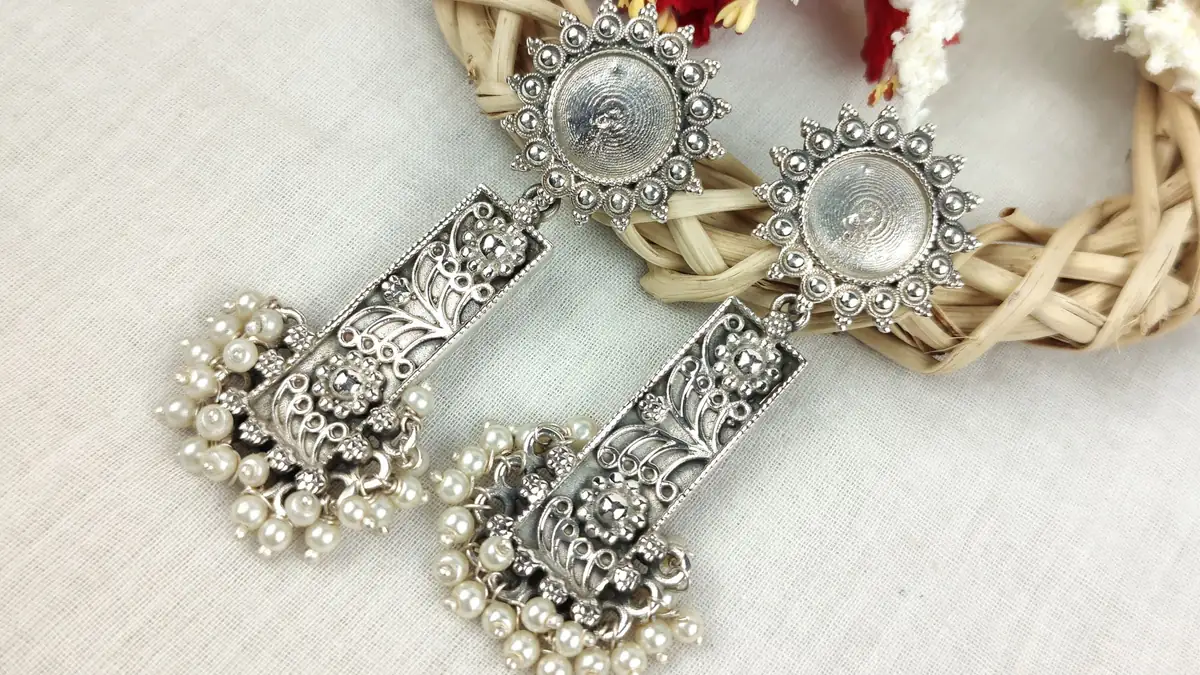
- Earrings and jhumkas: hang them from a thin rod, a card with holes or a small stand so they fall naturally. Show the pair together, then a single close-up of the detailed side.
- Necklaces and chains: lay them in a soft curve or a V-shape on a flat background, or use a simple neck form. For long chains, show the full length in one photo and the clasp in another.
- Rings: stand them upright in a slit of card or a bit of putty hidden behind the band. Shoot slightly from above so the stone faces the camera.
- Bangles and kadas: stack a set to show how they look together, then one bangle alone to show its pattern and width.
- Sets: show everything together for the main photo, then each piece separately.
Can you edit jewellery photos with apps or AI?
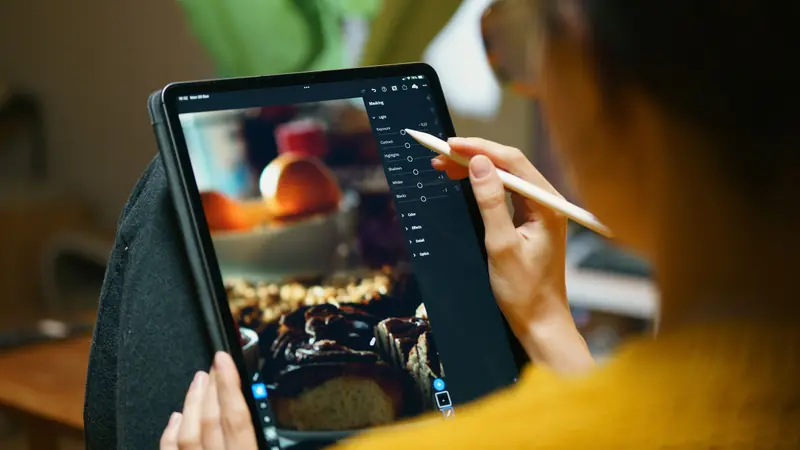
Light editing is fine: straightening, cropping, a small brightness tweak, and cleaning dust specks. Background removal tools can give you a clean white background. But never change the colour of stones, the shape of a piece, or add sparkle that is not there. A photo that looks better than the product brings complaints. Our post on AI photo editing for products explains what is safe.
How do photos appear on your store?
Upload photos at a good size; UpMinutes converts them to WebP in three sizes automatically, so pages stay quick on mobile data. Products can have options like metal colour or size, each with its own photo, so a customer choosing "rose gold" sees rose gold. Our guide to selling jewellery online in India covers the rest of setting up a jewellery store.
Quick checklist
- Window light, diffused; room lights off; no flash.
- White cards around, black card for edges.
- Phone on a support, timer on, 2x or macro mode.
- Pieces cleaned, handled with gloves.
- Main, detail, side, worn and scale shots for each product.
- Colours checked against the real piece.
- Sizes and materials written in the description.
Frequently asked questions
What is the best background for jewellery photos?
Plain white or light grey suits most catalogues and keeps attention on the piece. Dark slate or velvet can work for gold, but use the same background across your store.
Can I photograph jewellery with an older phone?
Yes. Good light matters more than the phone. Use soft window light, a support and the timer, and avoid digital zoom beyond what looks sharp.
How do I show the size of earrings and rings?
Add a photo of the piece being worn and state measurements in the description, such as drop length or ring size. A coin or ruler in one photo also helps.